
Solo travel is incredible. But it also means nobody has your back when things go sideways — lost in a foreign city, phone dying at 2 AM, or a stranger following you home. These five apps fix that. They cost nothing or near nothing, and they replace the anxiety with a concrete action plan. Here is exactly what to install before your next trip.
The One App That Lets a Friend Watch Your Every Step
bSafe is the closest thing to having a guardian angel in your pocket. It costs $0 for the basic version, and the premium plan runs $5/month or $30/year. Here is why it beats every other safety app for solo travelers.
Live GPS tracking with a timer
You set a timer before walking home. If you don’t check in before it hits zero, bSafe automatically sends your GPS location to your preselected contacts. No phone call required. No awkward “I’m almost there” text. The app just does it. This feature alone saved a friend of mine in Marrakech when she took a wrong turn into a dead-end alley at midnight.
Fake call feature
Need an excuse to leave a conversation? Tap the fake call button. Your phone rings, you answer, say “Oh no, I’ll be right there,” and walk away. The call looks real — contact name, photo, ringtone. It works every time.
Verdict: bSafe is the best option for travelers who walk alone at night in unfamiliar cities. The free version covers the essentials. Upgrade to premium for unlimited contacts and longer timer durations.
The App That Calls 911 Without You Saying a Word
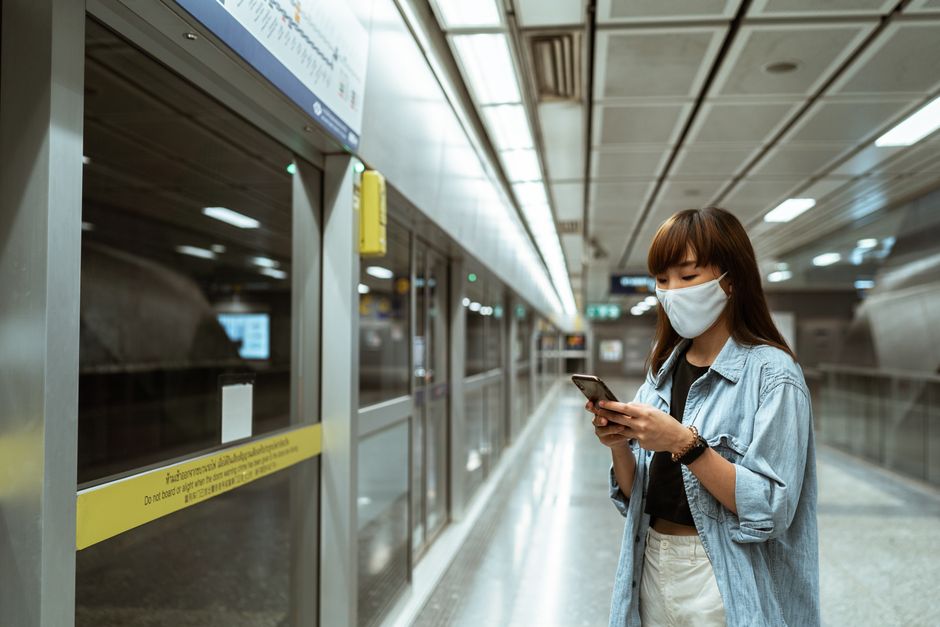
Noonlight (formerly Lifeline Response) connects to a real human dispatcher who stays on the line until you’re safe. It costs $0 for basic features, $5/month for premium, or $20/month for family plans covering five people.
How it works
Hold the button while you feel safe. Release it when you reach your destination. If you release it without entering your PIN, Noonlight calls you. If you don’t answer, they call emergency services and send your exact GPS coordinates. No app installation on the dispatcher’s side — they just call local authorities.
Why this matters for international travel
Most solo travelers don’t know the local emergency number. In Japan it’s 110. In France it’s 17. In Thailand it’s 191. Noonlight handles that translation. They know the correct number for your location and dispatch accordingly. This is the only app on this list that works across borders without you memorizing a single emergency code.
Verdict: Noonlight is the best pick for travelers going to countries with unfamiliar emergency systems. The free version works fine, but the $5 premium adds unlimited check-ins and faster response.
The Low-Tech Backup That Works Without a Smartphone
Kitestring is not an app. It is a web-based service that sends you SMS check-in alerts. You set a schedule, and if you miss a check-in, it texts your emergency contacts with your last known location. Cost: free for basic, $3/month for premium with unlimited contacts and longer intervals.
When to use Kitestring instead of an app
Battery dies. No data signal. Phone gets stolen. Your smartphone is useless in those moments. Kitestring works on any phone that can receive SMS — even a $20 Nokia. You set it up before leaving, and it runs in the background with zero battery drain.
Verdict: Kitestring is essential for treks, remote areas, or any trip where you might lose cellular data. It is the cheapest insurance you will ever buy.
The App You Already Have That Does More Than You Think
WhatsApp is not marketed as a safety app. But its live location sharing feature turns it into one. Cost: free. Everyone has it. That is the point.
How to use WhatsApp for safety
Open a chat with a trusted contact. Tap the + icon, select Location, then Share Live Location. Choose 15 minutes, 1 hour, or 8 hours. That person sees your dot moving on a map in real time. No extra app. No learning curve. Your mom already has WhatsApp.
Verdict: WhatsApp is the easiest safety tool because you already use it daily. No excuse not to turn on live location for the duration of your walk. Pair it with one of the dedicated apps above for full coverage.
Google Maps Offline — The Safety Feature Nobody Talks About
Getting lost is the number one safety risk for solo travelers. Google Maps solves this with offline maps that work without internet. Cost: free. But you must download them before leaving Wi-Fi.
How to download offline maps
Open Google Maps, search for your destination city, tap the city name at the bottom, then tap Download. Select the area size. The map saves to your phone. You can then navigate turn-by-turn with zero data usage. The map expires after 30 days, so download fresh ones before each trip.
Verdict: Offline maps are the most overlooked safety tool. They prevent the panic of being lost with a dead battery and no signal. Download them before every solo trip. It takes 30 seconds.
Quick Comparison — Which App for Which Situation
| App | Best For | Cost | Requires Internet? |
|---|---|---|---|
| bSafe | Walking alone at night, fake call exit | Free / $5 monthly | Yes |
| Noonlight | International travel, unknown emergency numbers | Free / $5 monthly | Yes |
| Kitestring | Remote areas, low battery, no smartphone | Free / $3 monthly | No (SMS only) |
| Easy live location sharing with family | Free | Yes | |
| Google Maps (offline) | Preventing getting lost | Free | No (after download) |
None of these apps cost more than $5 per month. Combined, they cover every scenario: lost, followed, panicked, or stranded. Download them before you leave. Test them once. Then forget about them until you need them. That is the whole point.