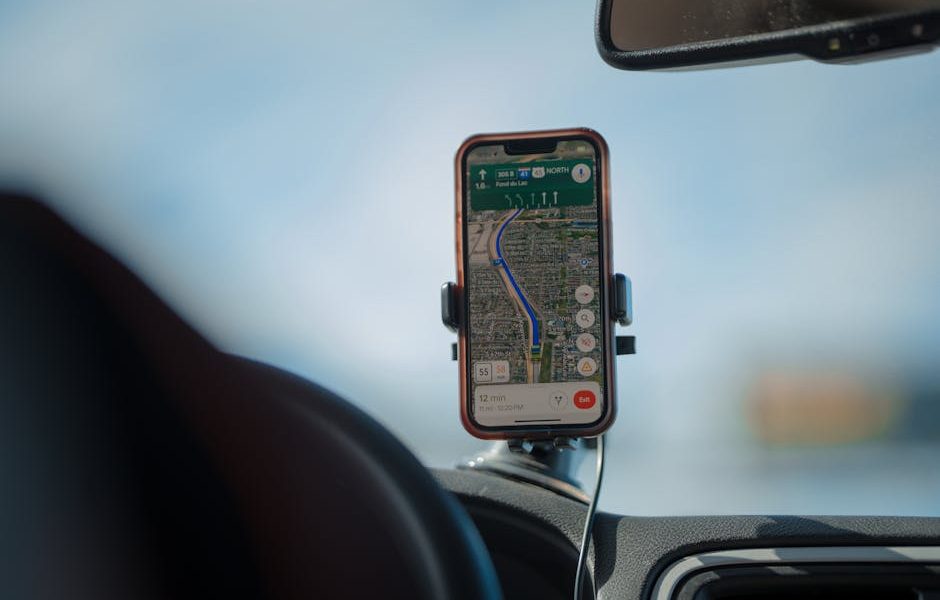
Picture this: You’re standing on a bustling street in an unfamiliar city, phone battery at 15%, data roaming turned off because you got burned last time, and a crumpled paper map that makes no sense. The restaurant you researched is supposedly “just around the corner,” but every corner looks the same. This isn’t the carefree adventure you imagined.
Getting lost, missing out on local gems, or blowing your budget on unexpected data charges are common travel frustrations. The good news? Modern travel guide apps can largely eliminate these headaches. The best ones aren’t just for finding directions; they’re comprehensive tools that help you discover, plan, and execute your trip seamlessly, often without an internet connection.
What Makes a Travel App Truly Indispensable?
Before diving into specific recommendations, it’s crucial to understand what features elevate a good travel app to an essential one. Many apps offer a few basic functions, but truly indispensable tools cover a broader range of needs, anticipate common travel problems, and deliver reliable performance.
Offline Access: Why It Matters
This is arguably the most critical feature, especially for international travel. Relying solely on an internet connection for maps, directions, or information is a recipe for stress and potentially high data bills. An app that allows you to download maps, city guides, or even public transport schedules before you leave your Wi-Fi zone is a lifesaver. This means you can navigate confidently in subway systems, remote areas, or simply when you want to conserve your data allowance. Check if the app offers full map downloads or just cached sections, and if the offline data includes points of interest (POIs) and reviews.
Comprehensive Data: Maps, POIs, Reviews
Beyond basic navigation, a top-tier travel app provides rich, contextual information. This includes detailed maps that show walking paths, public transport routes, and even bike lanes. Crucially, it should integrate a vast database of POIs – everything from historical landmarks and museums to local restaurants, cafes, and lesser-known attractions. User-generated content, like reviews and photos from other travelers, adds another layer of authenticity and helps you make informed decisions. An app that pulls in real-time information, like opening hours or public transport delays, is even better, though this often requires an online connection.
User Interface and Experience
A powerful app is useless if it’s cumbersome to navigate. Look for clean, intuitive interfaces where information is easy to find and read, even on a small phone screen. The search function should be robust, allowing you to quickly locate specific places or categories. Customization options, such as saving favorite spots, creating itineraries, or adding personal notes, enhance the user experience. Performance also matters; the app should be responsive, load quickly, and not drain your battery excessively, especially when using GPS.
Top Picks for General Travel Planning

When it comes to all-around utility, certain apps consistently rise to the top. They cover a broad spectrum of needs, from initial planning to on-the-ground navigation, making them solid choices for almost any trip.
| App Name | Key Features | Pricing | Best For |
|---|---|---|---|
| Google Maps | Navigation, POIs, street view, public transport, reviews, offline maps (limited) | Free | Everyday navigation, finding local businesses, real-time traffic updates |
| Tripadvisor | User reviews, photos, hotel/restaurant/attraction bookings, forums, curated guides | Free (in-app purchases) | Researching and booking activities, finding highly-rated spots, community insights |
| Sygic Travel | Detailed offline maps, 3D city views, itinerary planner, suggested routes, POIs | Free (basic); Premium (~$14.99/year) | Creating custom itineraries, offline exploration, visual planning |
Google Maps remains the undisputed champion for general navigation and local discovery. Its strength lies in its comprehensive map data, real-time traffic, and robust POI database with extensive user reviews. While it offers offline map downloads, they are often limited to specific areas and can be less detailed than dedicated offline map apps. For day-to-day use, finding specific addresses, or checking public transport routes, Google Maps is indispensable.
Tripadvisor excels as a review powerhouse. If you want to know what other travelers genuinely think about a restaurant, hotel, or attraction, Tripadvisor is the place to go. Its strength is less in active navigation and more in pre-trip research and on-the-fly decision-making based on community feedback. The app also offers booking options for hotels and activities, streamlining parts of your planning.
Sygic Travel (not to be confused with Sygic GPS Navigation) stands out for its itinerary planning capabilities and detailed offline maps, including cool 3D city views. You can build day-by-day plans, add attractions, and the app will suggest optimized routes. The free version is good for basic planning, but the Premium subscription unlocks unlimited offline maps and full guide access, making it a strong contender for those who want extensive offline planning.
Niche Apps for Specific Travel Needs
Sometimes, a general-purpose app isn’t enough. For particular interests or scenarios, specialized apps offer depth and functionality that broader platforms can’t match. These are worth adding to your toolkit if your trip aligns with their strengths.
- Culture & History: Rick Steves Audio Europe
This free app provides hundreds of hours of self-guided audio tours for major European cities and sites. Rick Steves, known for his deep historical knowledge and practical advice, offers engaging narratives that bring destinations to life. Download entire tours over Wi-Fi, then listen offline while walking through ancient ruins or famous museums. It’s a fantastic way to get expert commentary without hiring a private guide. The content is consistently updated, ensuring relevance for popular destinations like Rome, Paris, and London. - Public Transport: Citymapper
For navigating complex urban public transport systems, Citymapper is hard to beat. Available in dozens of major cities worldwide, it provides real-time departures, live disruption alerts, and the fastest routes combining all modes of transport – subway, bus, train, ferry, even ride-shares and bikes. It often includes detailed information like which end of the train to board for the quickest exit. While it requires an online connection for real-time data, it excels at making sense of a city’s transport network. - Outdoor Adventures: AllTrails
If your travels involve hiking, biking, or trail running, AllTrails is essential. It offers a vast database of trails worldwide, complete with maps, photos, reviews, and difficulty ratings from a community of outdoor enthusiasts. The Pro version (around $29.99/year) allows you to download maps for offline use, ensuring you don’t get lost on a remote path. You can filter by length, elevation gain, dog-friendliness, and more, making it easy to find the perfect outdoor activity.
Offline Map Solutions: Essential for International Trips

Relying on mobile data abroad can be incredibly expensive. Even with international plans, coverage can be spotty, especially outside major cities. A robust offline map solution is not just convenient; it’s a critical safety net.
The Cost of Roaming Data
Many travelers underestimate the cost of using cellular data when abroad. A single Google Maps search or a few minutes of social media can quickly rack up significant roaming charges, sometimes reaching tens or hundreds of dollars for what seems like minimal usage. While eSIMs and local SIM cards offer better value, there will still be times you’re in an area with no signal, or you simply want to conserve your data for essential communication. Having detailed maps and POIs downloaded eliminates this worry entirely.
Key Features of Offline Map Apps
Beyond simply downloading map tiles, the best offline map apps provide a rich set of features that work without an internet connection. This includes turn-by-turn navigation for driving, walking, and cycling. It should allow you to search for specific addresses or points of interest within the downloaded region. Many also offer elevation profiles, public transport lines (though often static, not real-time), and the ability to save favorite locations. The quality and detail of the map data itself are ; some apps rely on OpenStreetMap data, which is community-driven and can be incredibly detailed in urban areas.
MAPS.ME: A Solid Free Option
For a free, reliable offline map solution, MAPS.ME stands out. It uses OpenStreetMap data, which means it often has incredibly detailed maps, including footpaths, hiking trails, and even obscure points of interest not found on larger platforms. You can download entire countries or regions, and once downloaded, all navigation and searching work completely offline. It’s excellent for walking around a city, finding hidden gems, or navigating rural areas where cellular signal is nonexistent. While the interface has ads (which can be removed with a small in-app purchase), the core functionality is robust and dependable, making it a staple for budget-conscious travelers.
The Verdict: My Go-To Combination
For most trips, I rely on a combination: Google Maps for general navigation and quick searches when online, backed up by MAPS.ME for all offline needs. This duo covers nearly every scenario, from finding a specific cafe with an internet connection to navigating a remote hiking trail without one. It’s a simple, effective, and mostly free solution.
Managing Your Budget On The Go: Essential Tools

Travel isn’t just about getting from A to B; it’s also about managing your money effectively. Unexpected expenses or confusion over shared costs can quickly sour a trip. Thankfully, several apps simplify financial tracking and group expenses.
How can I track expenses effectively?
Keeping a tab on your spending while traveling is crucial for staying within budget. Apps like Spendee or Wallet by BudgetBakers allow you to manually log expenses or link directly to bank accounts (if available in your region) to categorize spending automatically. You can create different budgets for categories like food, transport, and activities, and track against them in real-time. Many support multiple currencies, which is essential for international travel, automatically converting foreign transactions to your home currency. This provides a clear overview of where your money is going, preventing overspending before it becomes a problem.
What are the best apps for splitting costs?
Traveling with friends or family often means shared meals, accommodation, and activities. Manually keeping track of who paid for what and who owes whom can quickly become a nightmare. Splitwise is the undisputed champion for this. It allows you to create groups, add expenses, and easily divide them among members. It handles uneven splits, partial payments, and even tracks debts between individuals, providing a clear settlement total at the end of the trip. The app supports multiple currencies and works offline for adding expenses, syncing when you regain connectivity. For larger groups, this app is a sanity-saver, ensuring everyone pays their fair share without awkward conversations.
Data & Connectivity: Avoiding Surprise Bills
One of the biggest anxieties for international travelers is the dreaded phone bill after returning home. High roaming charges for data usage can turn a dream vacation into a financial headache. Proactive planning for your connectivity is just as important as planning your routes.
Never rely on your home country’s roaming plan for extended data usage abroad. While convenient for emergencies, the per-MB cost is almost always exorbitant. You have far better, and cheaper, options available.
eSIMs vs. Local SIM Cards
For short trips or light data users, an eSIM (embedded SIM) is often the most convenient option. Services like Airalo or Nomad allow you to purchase and install data plans digitally for specific countries or regions directly onto your compatible smartphone before you even land. This means you have connectivity as soon as you arrive, avoiding the search for a local SIM card vendor. Prices vary, but a 5GB plan for 30 days in Europe might cost around $15-25. The main drawback is that you typically only get data, not a local phone number for calls/texts, but apps like WhatsApp or FaceTime cover communication needs.
For longer stays, heavy data users, or those needing a local phone number, purchasing a physical local SIM card upon arrival is usually the most cost-effective. These offer competitive rates for data, calls, and texts within the country. The downside is the need to find a store, potentially deal with language barriers, and physically swap out your SIM card.
Managing Data Usage
Even with a budget-friendly eSIM or local SIM, it’s wise to monitor your data consumption. Most phones have built-in data usage trackers (Settings > Cellular/Mobile Data). Prioritize Wi-Fi whenever available, especially for streaming, large downloads, or software updates. Disable background app refresh for non-essential apps and turn off auto-play for videos on social media. Many travel guide apps also have settings to optimize data usage or prevent specific features from running in the background, which can extend the life of your data plan.
Wi-Fi Hotspot Finders
In a pinch, apps like Wi-Fi Map or Wiman can help you locate free public Wi-Fi hotspots, often with passwords shared by other users. While security can be a concern on public networks (always use a VPN if accessing sensitive information), these can be lifesavers for checking messages, uploading photos, or planning your next move when your data is depleted or unavailable. Download the necessary maps or hotspot databases for offline use before you’re desperate.